A) Introduction
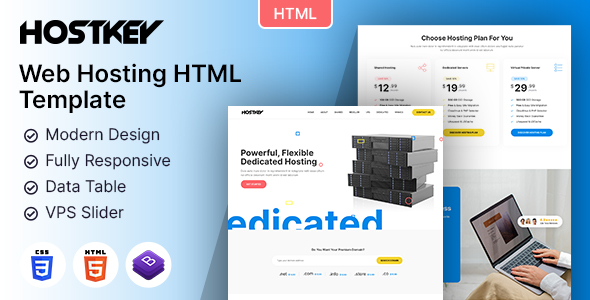
Build a professional and modern online presence for your web hosting business with the Hostkey HTML Template — a responsive and professionally designed solution crafted specifically for web hosting providers, hosting resellers, domain registrars, VPS providers, cloud hosting companies, dedicated server providers, and IT businesses.
Hostkey combines a clean and modern interface with an intuitive user experience to help you showcase your hosting plans, domain registration services, VPS hosting, dedicated servers, cloud solutions, pricing packages, hosting features, customer testimonials, and expert team.
Whether you provide shared hosting, reseller hosting, VPS hosting, dedicated servers, cloud hosting, domain registration, or other hosting and IT-related services, Hostkey provides professionally designed sections to present your services and attract potential customers.
The template includes dedicated sections for hosting services, pricing plans, domain search, about information, features, hosting statistics, testimonials, FAQs, team members, blog posts, newsletter subscription, and contact information. The live demo also includes multiple homepage layouts and dedicated inner pages for different sections of the website.
Built with a fully responsive and optimized framework, Hostkey provides a seamless experience across mobile, tablet, and desktop devices. Its modern layouts and professional design make it suitable for web hosting companies, domain providers, cloud hosting businesses, server providers, IT agencies, and technology companies.
Hostkey is built using modern HTML5, CSS3, Bootstrap, and JavaScript technologies and is compatible with all modern browsers.
B) How to Edit HTML Files?
Hostkey includes professionally designed HTML templates for pages such as Home, About Us, Services, Service Details, Hosting Plans, Pricing, Domain Search, Team, Testimonials, FAQ, Blog, Blog Details, Contact, and other supporting pages.
To edit any HTML page, open the required HTML file with a text editor such as Visual Studio Code, Dreamweaver, Notepad, or Notepad++ and modify the required content, text, links, images, or sections.
You can easily replace the demo content with your own hosting plans, company information, domain services, server specifications, pricing packages, testimonials, blog content, and contact information.
C) How to Edit CSS Files?
Hostkey includes custom CSS stylesheets for controlling the overall appearance of the template. Open the main CSS file from the assets/css folder with any text editor to customize the design.
You can modify colors, typography, spacing, backgrounds, buttons, hosting cards, pricing tables, domain search sections, animations, and other visual elements according to your requirements.
D) How to Use Color Schemes?
To customize the Hostkey color scheme, open the main stylesheet located inside the assets/css folder. Search for the existing color values and replace them with your preferred brand colors.
You can customize the primary, secondary, text, background, button, and accent colors to create a unique hosting and technology brand identity.
E) How to Use On Load Animation?
Hostkey uses predefined animation classes to create smooth entrance and scrolling effects throughout the website. You can customize these effects by modifying the predefined animation classes and related JavaScript files.
jQuery & JavaScript Files
- assets/js/jquery-3.7.1.min.js
- assets/js/bootstrap.min.js
- js/popper.min.js
- js/animation.js
Photos
Icons
Fonts
F) Resources Used
Global
Colors:
- Primary: Refer to style.css for the current primary color.
- Secondary: Refer to style.css for the current secondary color.
- Text: Refer to style.css for the current text color.
- Accent: Refer to style.css for the current accent color.
Font Sizes:
- Heading sizes can be customized through the main stylesheet.
- Paragraph size can be customized through the corresponding typography styles.
Image Links:
Note: All images are used for preview purposes only. They are not part of the template and hence, are not included in the final purchase files.
Once again, thank you so much for purchasing the Hostkey HTML Template. We hope Hostkey helps you create a professional and successful web hosting, domain, server, or technology website. If you have any questions relating to this template, please feel free to contact us through our support system.
Designing Media Team